
Ground station
Run the Rust station locally and see how commands and data move through two Media over QUIC relays.
Install the stationOpen-source space education
Receive data from a model CubeSat and learn how a ground station tracks satellites around Earth.
For learners 13 and up, guided by teachers, guardians and mentors. The browser lessons need no account or equipment. Built by volunteers.
Five short exercises cover sensor readings, camera frames, and what happens when contact is lost.
View the lesson sequenceRecord a value and its unit.
Count the frames that reach the station.
Pause contact and check which data still arrives.
Request a reading or start the test camera. All data is simulated in your browser.
Connected to the practice CubeSat
Practice modeTwo relays, simulatedSimulated, 2 relays, telemetry.v1
No reading yet.
No sample yet.
Tip: pause contact while pictures are coming in, then see what made it.
Mission log
Run the Rust station locally and see how commands and data move through two Media over QUIC relays.
Install the stationLog pressure and temperature, then compare your measurements with data from a balloon flight.
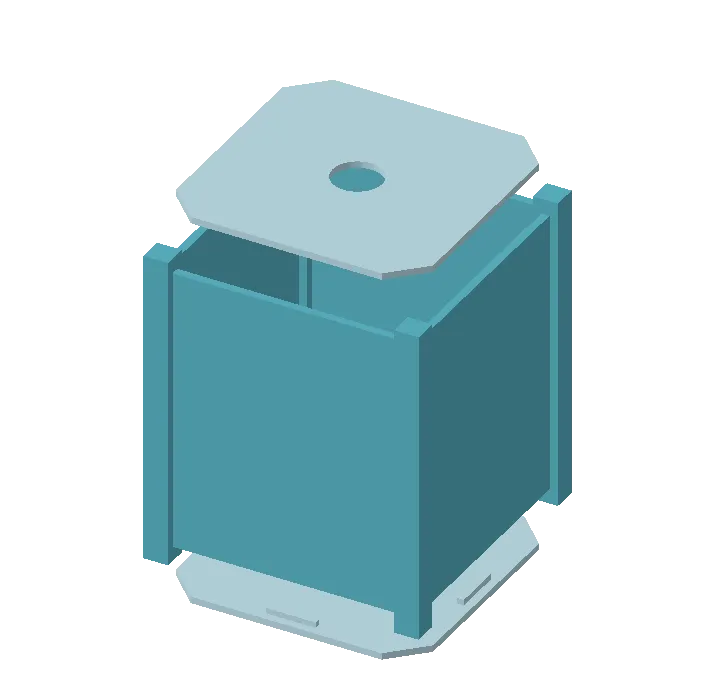
Open the labPrint the 1U bench model on a Bambu P1S. Start in PLA and measure the fit before trying ASA.
View drawings and print filesPaste this into your terminal and follow the prompts. Open the local address the station prints.
curl -fsSL https://cubesatclass.org/start.sh | bashmacOS, Linux, or Windows (using WSL, the Windows Subsystem for Linux). The starter offers to install or update Rust if needed. The station uses simulated sensors and video.
Print the one-page quick startCubeSat Classroom is a starting kit, not a competitor. Copy it, rename it, and make it your school's, club's or mission's own.
Lessons, simulator, ground station and print files come with it. MIT or Apache 2.0.
Your name, web address and links live in one place.
Write quests for your balloon, rocket, glider or satellite. Share improvements back if you like.
Start with First contact. Ask students to record what they measured and what they would check next. Tell us where the lesson could be clearer.
Print the one-page guideUse the five-minute demo run sheetHelp review a lesson, run a bench test, or make plans for a workshop with CubeSat Club.
Give directly to Teachers in Space to support its teacher training and flight program.
A ground station receives a satellite downlink during a pass. The proposed setup uses a relay to share that stream with other classrooms.
Browser viewers would use the network stream. The bench work has tested replay into a relay. Live radio fan-out to multiple classrooms still needs testing.
The project uses Media over QUIC (MoQ). Media is cut into groups (one keyframe interval) and objects (one frame), and relays fan each subscription out to many viewers. A lost frame pauses the picture until the next keyframe instead of smearing it. The moq-subghz bench runs the same model over a sub-GHz radio: a Raspberry Pi 2 and an SX1276 LoRa chip in FSK mode, written in Rust with rind encryption.
Code for the bench: moq-subghz. Encryption: rind.
Test whether a small microscope camera can capture changes on a collection plate and send comparable images to the ground. The proposal starts with a bench test.
Read and review the proposal